
Appearance
PWSH 安装说明
1. 安装
- 从 Github 直接下载 Releases 安装
- 从 Microsoft Store 安装
- 使用
winget安装(推荐)
1.1. 使用 winget 安装
查看 PowerShell 当前的最新版本:
PowerShell
winget search Microsoft.PowerShell通过 id 参数安装 PowerShell:
PowerShell
winget install --id Microsoft.Powershell --source wingetNote 1:如果提示找不到
winget命令,则可能是没有将winget命令所在的文件路径添加到Path环境变量,路径通常在%localappdata%\Microsoft\WindowsApps\,如果没有找到该路径或该文件,则需要手动安装winget。
Note 2:国内访问 WinGet 可能会比较慢,可以配置镜像加速。
2. 替换 Windows PowerShell
如果在文件夹中 Shift + RightButton 在此处打开 Powershell 窗口 默认打开的是 Windows PowerShell,则通过以下操作可以替换为 pwsh:
Win+R输入regedit回车,打开注册表定位到
计算机\HKEY_CLASSES_ROOT\Directory\Background\shell\Powershell\command右键
command,权限,高级更改所有者:
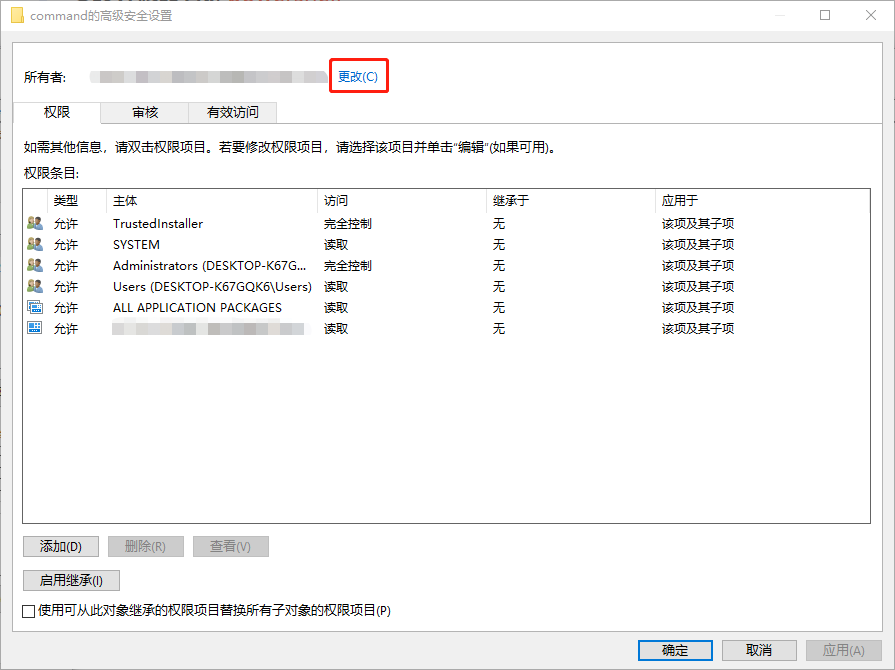
输入当前的用户名,点击
检查名称,确定双击
Administrators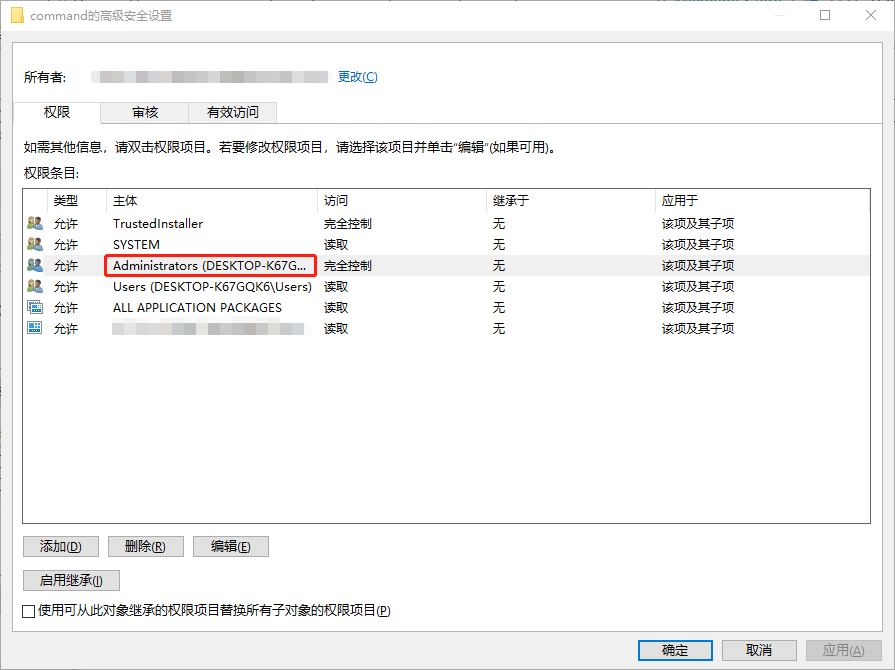
勾选
完全控制,并一路确定返回到注册表编辑器窗口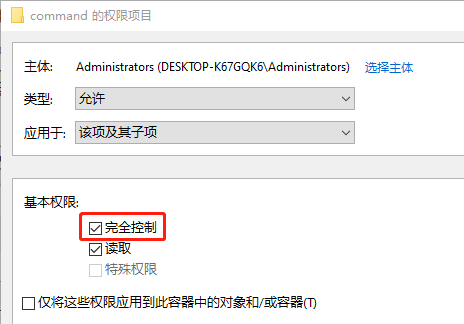
双击
command准备开始修改值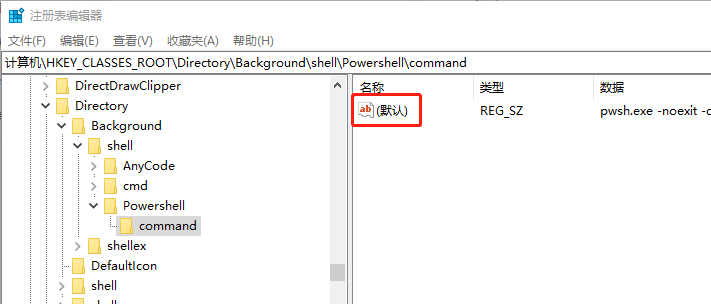
把
powershell.exe修改为pwsh.exe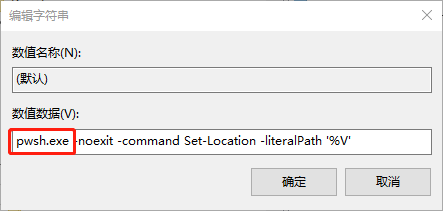
3. 强制使用 UTF-8 without BOM
打开 PowerShell,在命令行中输入 New-Item $PROFILE -ItemType File -Force:
PowerShell
PS C:\Users\UserName> New-Item $PROFILE  -ItemType File -Force

    Directory: C:\Users\UserName\Documents\PowerShell

Mode                 LastWriteTime         Length Name
----                 -------------         ------ ----
-a--- 2023/6/26 12:20 0 Microsoft.PowerShell_profile.ps1打开 Microsoft.PowerShell_profile.ps1 文件,在文件中输入:
PowerShell
$OutputEncoding = [console]::InputEncoding = [console]::OutputEncoding = [System.Text.Encoding]::UTF84. 启用 VT 模式
修改注册表项 HKEY_CURRENT_USER\Console\VirtualTerminalLevel(若不存在则新建,类型为 DWORD)的值为 1,然后重启 PowerShell 窗口。这样原生 PowerShell 也会将 ANSI 转义序列渲染为颜色。
5. 在 PSReadLine 中使用预测器
预测性 IntelliSense 提供的建议可帮助 PowerShell 的新老用户根据匹配预测发现、编辑和执行完整命令。建议可能来自用户的历史记录和其他特定于域的插件:

上图显示建议的默认 InlineView。默认情况下按 RightArrow 键接受内联建议。接受建议后,可以先编辑命令行,再按 Enter 运行命令。
PSReadLine 还提供 ListView 建议的演示:
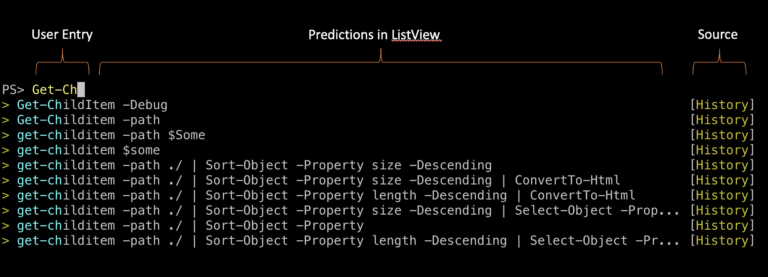
PSReadLine 默认为 InlineView。可通过按 F2 键在 InlineView 和 ListView 之间进行切换。还可以使用 Set-PSReadLineOption 的 PredictionViewStyle 参数来更改视图。
查看 “接受当前的内联建议(ForwardChar)命令” 绑定的快捷键:
PowerShell
Get-PSReadLineKeyHandler -Bound | Where-Object { $_.Function -eq 'ForwardChar' }“接受内联建议的下一个词(ForwardWord)命令” 默认未绑定任何快捷键,我们可以将其绑定到 Ctrl + RightArrow:
PowerShell
Set-PSReadLineKeyHandler -Chord "Ctrl+RightArrow" -Function ForwardWordNote:以上命令只会在当前会话中生效,如果想要该命令对所有新打开的 PowerShell 生效,则可以通过编辑
$PROFILE文件实现,具体操作步骤与强制使用 UTF-8 without BOM 类似,此处不再赘述。