
Appearance
使用 acme.sh 自动签发证书
1. 准备工作
- 一个已解析好的域名(可以用 http 来访问);
- 开启服务器的 443 端口防火墙;
2. 安装 acme.sh
Bash
$ curl https://get.acme.sh | sh以上命令的执行步骤内容:
- 从 GitHub 上下载 sh 脚本并执行;
- 把文件解压到用户的
~/.acme.sh目录下; - 给命令行设置一个
acme.sh的 alias 别名(alias acme.sh=~/.acme.sh/acme.sh); - 最后注册一个 cron 定时任务来自动更新证书;
安装完成后,重启一下命令行,使用 acme.sh -h 测试是否安装成功。
acme.sh 使用 ZeroSSL 作为 CA,建议切换到 Let's Encrypt 的 CA:
Bash
$ acme.sh --set-default-ca --server letsencryptacme.sh 依赖于 cron 执行定时任务,安装完成后,输入 crontab -l 命令,能看到如下输出:
Bash
$ crontab -l
30 0 * * * "/root/.acme.sh"/acme.sh --cron --home "/root/.acme.sh" > /dev/null可以考虑开启 acme.sh 的自动升级:
Bash
$ acme.sh --upgrade --auto-upgrade3. 使用 DNS 验证签发证书
实际上 acme.sh 还支持 HTTP 验证,不过在这里不做详细说明,重点介绍如何使用 DNS 验证,这种方式下,不需要任何服务器,不需要任何公网 IP,只需要 DNS 的解析记录即可完成验证。
acme.sh 内置了许多 DNS 服务商的插件,具体使用方法参考:How to use DNS API,下面以 NameSilo 为例:
获取 API Key:
进入到 NameSilo 的管理面板,在左侧菜单中找到 API Manager:
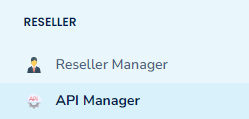
图 3.1 - API Manager 点击 Generate 按钮生成密钥:
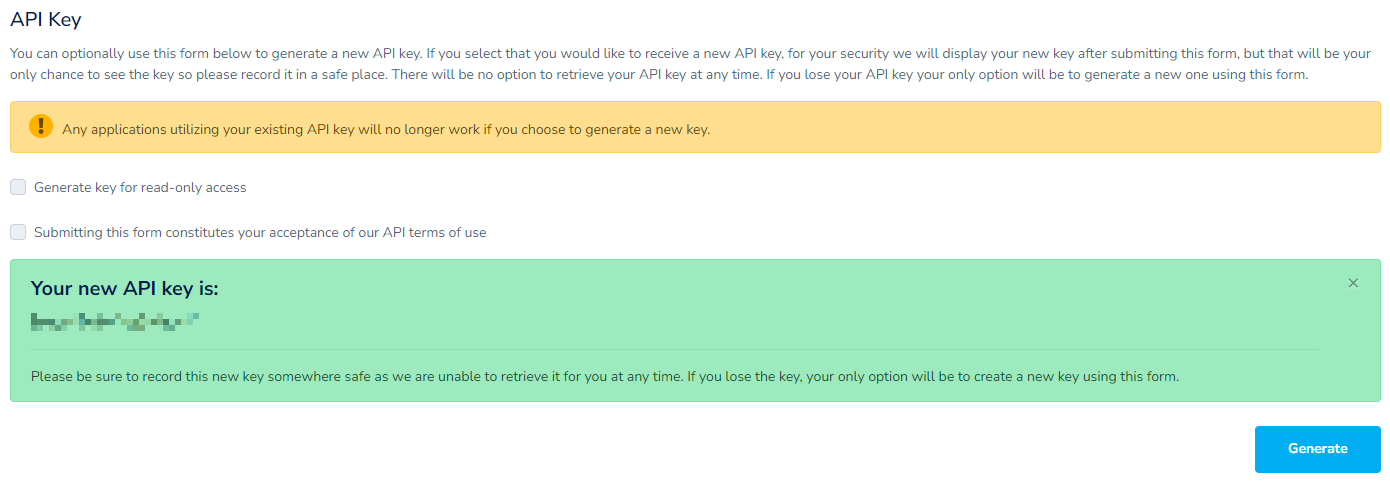
图 3.2 - API Key 签发证书:
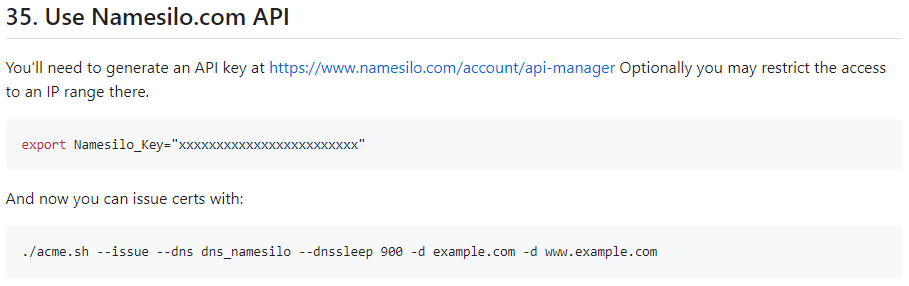
图 3.3 - NameSilo DNS API 使用说明 Bash$ export Namesilo_Key="xxxxxxxxxxxxxxxxxxxxxxxx"Bash$ acme.sh --issue --dns dns_namesilo --dnssleep 900 -d example.comNote 阿里云
Bash$ export Ali_Key="xxxxxxxxxxxxxxxxxxxxxxxx"Bash$ export Ali_Secret="xxxxxxxxxxxxxxxxxxxxxxxxxxxxxx"Bash$ acme.sh --issue --dns dns_ali --dnssleep 900 -d example.comNote:由于 DNS 记录中的任何更改都需要重新加载时间,所以我们可以使用
--dnssleep 900选项等待 15 分钟等更改生效;如果需要指定多个域名,则直接在以上该命令后面接上多个
-d example.com即可。也可以支持泛域名,例如:-d '*.example.com'(不过只有 DNS 的这种方式支持)。默认签发的都是基于 RSA 密钥加密的证书(目前默认签发的貌似也是 ECC 密钥),而 ECC(Elliptic Curve Cryptography, 椭圆曲线密码)密钥的保密性比 RSA 更好,密钥长度更短,更能对抗量子解密等,目前现代的操作系统和浏览器都支持 ECC 证书了(Windows XP 及其之前的就算了)。其实只需要加上一个以ec-为前缀的--keylength/-k参数就可以了。例如:Bash$ acme.sh --issue --dns dns_namesilo --dnssleep 900 -d example.com -k ec-256
4. 导出证书
以 Nginx 为例,先在 Nginx 的目录下新建一个 ssl 目录,再把证书导过去:
Bash
$ acme.sh --install-cert -d example.com \
          --key-file       /usr/local/nginx/ssl/example.com.key \
          --fullchain-file /usr/local/nginx/ssl/example.com.pem \
--reloadcmd "service nginx force-reload"4.1. 将同一个域名导出到多个路径
建议通过符号链接的方式实现,因为:
- 不需要复制文件,节省磁盘空间;
- 避免文件同步问题;
- 更容易管理和维护;
- 当证书更新时,所有链接的位置都会自动更新;
Bash
# 将证书安装到一个主目录
$ acme.sh --install-cert -d example.com \
          --key-file       /etc/ssl/example.com/example.com.key \
          --fullchain-file /etc/ssl/example.com/example.com.pem \
          --reloadcmd      "service nginx force-reload && service apache2 force-reload"

# 通过符号链接到 nginx ssl
ln -s /etc/ssl/example.com/example.com.key /etc/nginx/ssl/example.com.key
ln -s /etc/ssl/example.com/example.com.pem /etc/nginx/ssl/example.com.pem

# 通过符号链接到 apache2 ssl
ln -s /etc/ssl/example.com/example.com.key /etc/apache2/ssl/example.com.key
ln -s /etc/ssl/example.com/example.com.pem /etc/apache2/ssl/example.com.pem
5. 查看域名信息
Bash
$ acme.sh --info -d example.com
[Thu 07 Nov 2024 04:27:28 PM CST] The domain 'example.com' seems to have a ECC cert already, lets use ecc cert.
DOMAIN_CONF=/root/.acme.sh/example.com_ecc/example.com.conf
Le_Domain=example.com
Le_Alt=*.example.com
Le_Webroot=dns_namesilo
Le_PreHook=
Le_PostHook=
Le_RenewHook=
Le_API=https://acme-v02.api.letsencrypt.org/directory
Le_Keylength=ec-256
Le_OrderFinalize=https://acme-v02.api.letsencrypt.org/acme/finalize/1460213446/319921545907
Le_DNSSleep=900
Le_LinkOrder=https://acme-v02.api.letsencrypt.org/acme/order/1460213446/319921545907
Le_LinkCert=https://acme-v02.api.letsencrypt.org/acme/cert/030809822fb21ead47f42dfb7dd618a02b15
Le_CertCreateTime=1730721074
Le_CertCreateTimeStr=2024-11-04T11:51:14Z
Le_NextRenewTimeStr=2025-01-02T11:51:14Z
Le_NextRenewTime=1735818674
Le_RealCertPath=
Le_RealCACertPath=
Le_RealKeyPath=/etc/ssl/example.com/example.com.key
Le_ReloadCmd=service nginx force-reload && service apache2 force-reload
Le_RealFullChainPath=/etc/ssl/example.com/example.com.pem6. 停止更新证书
查看证书列表:
Bash
$ acme.sh --list停止更新:
Bash
$ acme.sh --remove -d www.example.com之后手动把目录下的证书移除就行。